JDBC
💡
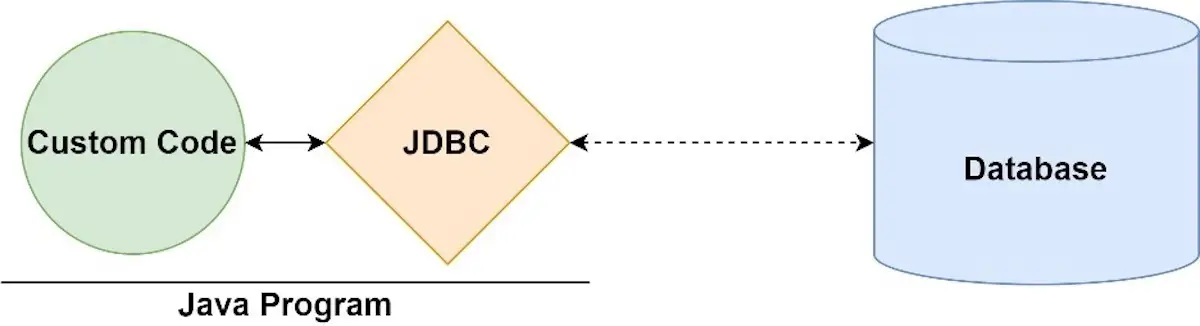
JDBC:🔑JDBC in action
- is an application programming interface (API) for the programming language Java.
- defines how the client can connect and interact with a Database.
💡
JDBC ’s parts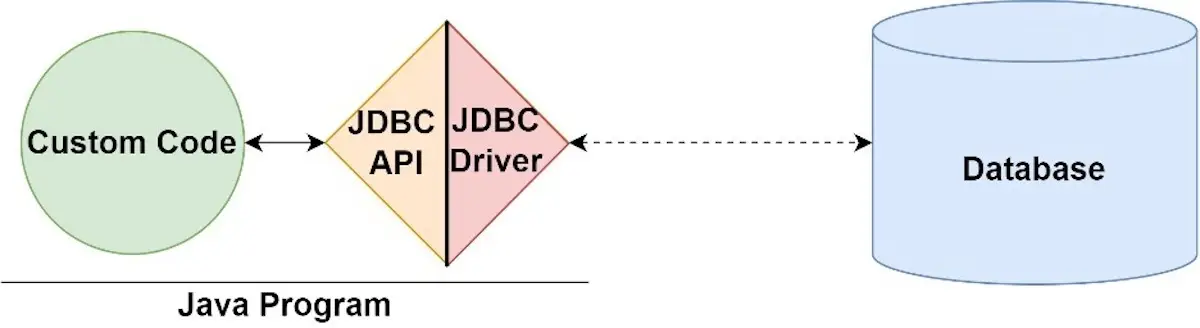
JDBC Driver
Driver:
- a software component
- convert JDBC calls —middle layers—> native calls on DB server.
- gives out the connection to the database
- implements the protocol for transferring the query and result between client and database.
- provided by a specific provider for a specific database.
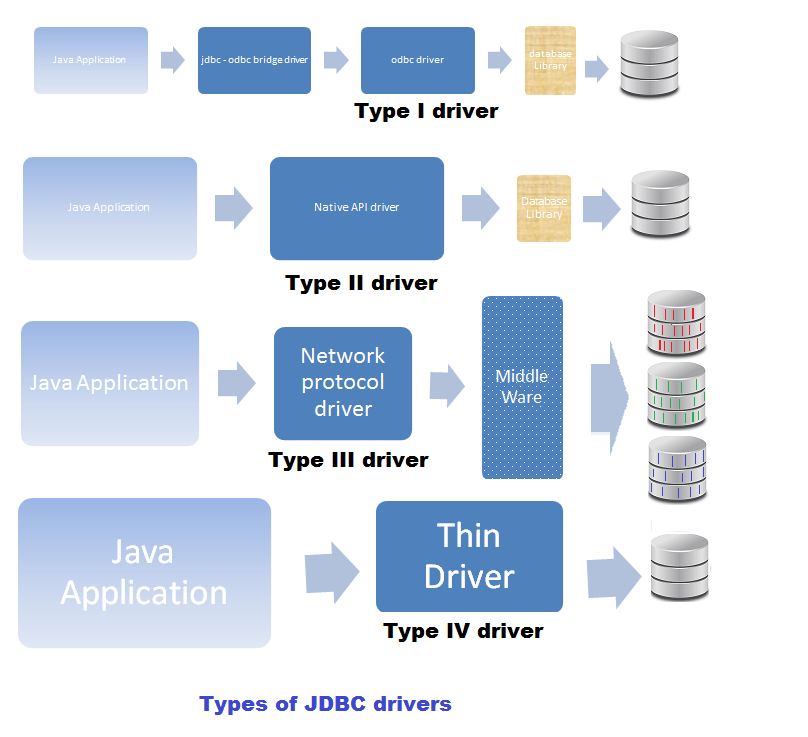
JDBC’s 4 categories:
- JDBC-ODBC bridge
- Native-API driver
- Network-Protocol driver
- Native Protocol (Thin driver)
DriverManager:
- an interface between users and drivers.
- maintains a list of drivers created for different databases
- handles establishing a connection between a database and the appropriate driver.
JDBC API
- Java interfaces and classes that support connecting and manipulating with DBs.
- interfaces:
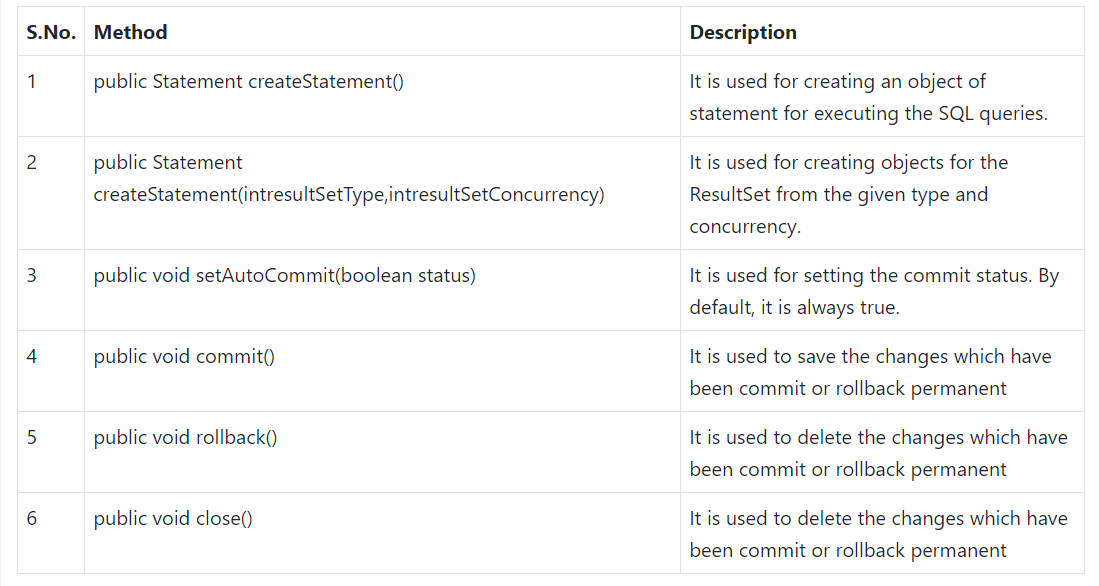
Connection
- is used for creating the session between the application and the database.
- contains Statement, PreparedStatement, and DatabaseMetaData.
Statement
- is used for executing queries using the database.
- Steps for interpreting a statement:
- Check syntax
- Load intro Mem
- Execute
PreparedStatement:
- is a subinterface of Statement.
- is mainly used for parameterized queries.
- A question mark (?) is passed for the values.
- The order of parameters is marked from 1.
- Steps for interpreting:
- First time: 1, 2, 3 like a super statement
- Second time: only 3
CallableStatement
- is used to call a stored procedure.
- ….
ResultSet
- used for maintaining the pointer to mapping data area from Database, a row of a table.
- next(): forward only
- always exist (≠null) after executing a SELECT statement (if empty date —> BOF & EOF is the same position)
ResultSetMetadata
- is used to get metadata from the ResultSet object.
- DatabaseMetadata
- Classes:
- SQLException
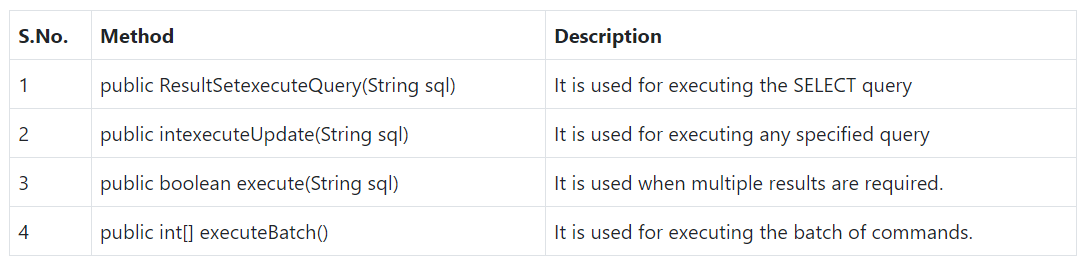
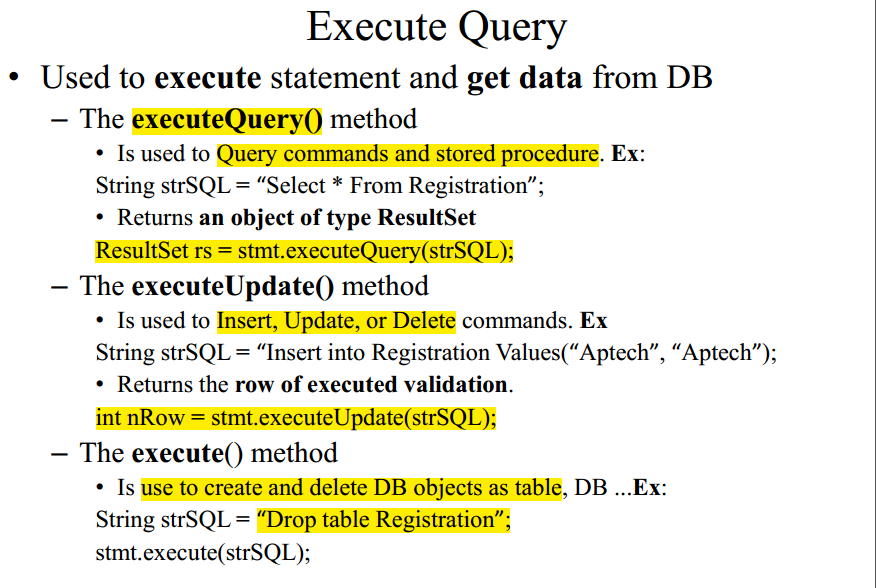
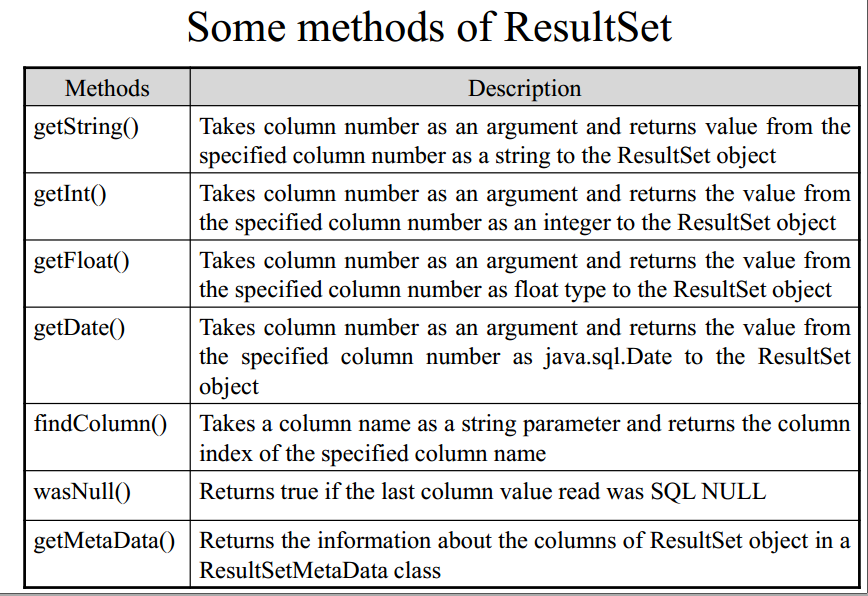
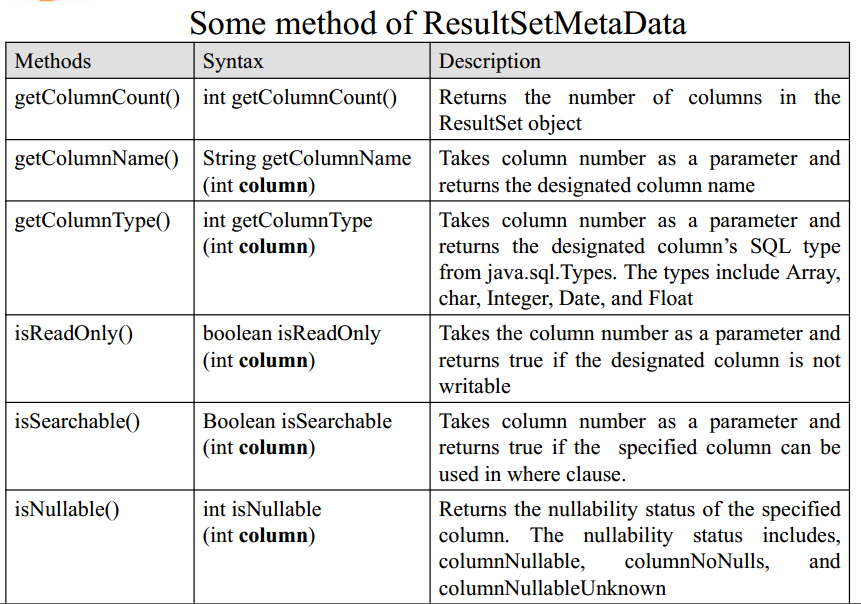
💡
JDBC’s architecture: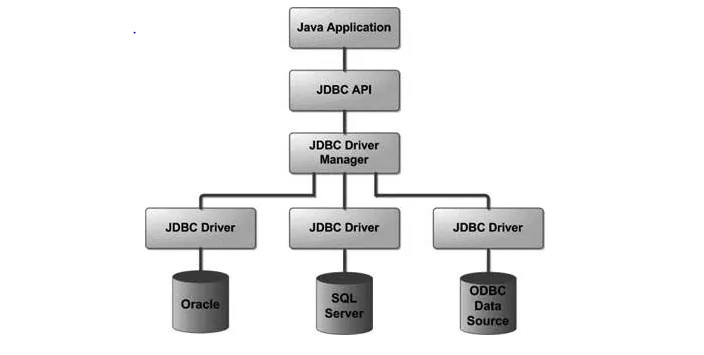
💡
JDBC’s activity diagram:.png)
💡
Dynamic DB connection:
Data Source
- is a logical name
- is bind to ip, port, DB, security
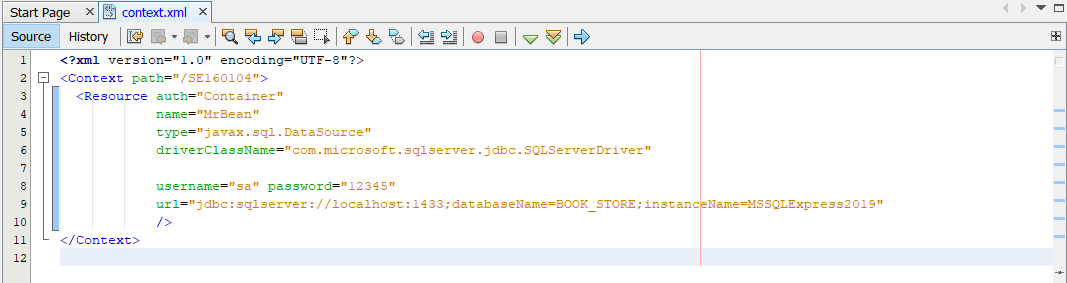
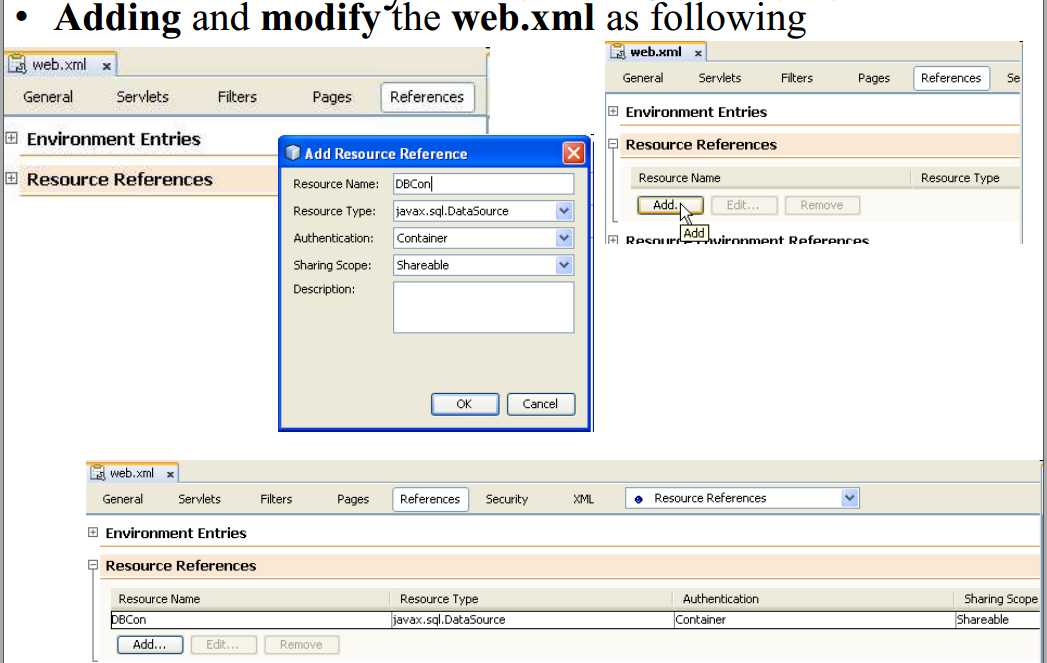
- configure Data Source:
- Define DS in context.xml (before app deploy)
- Map to Web App into WDD (web.xml)
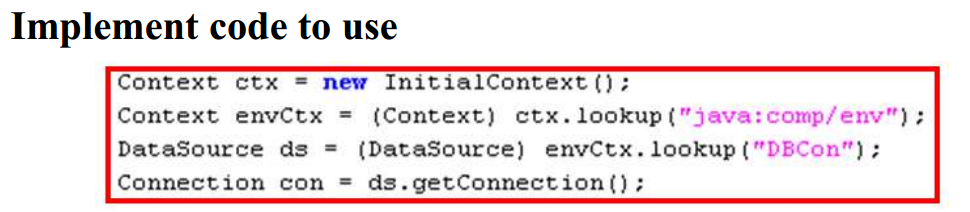
- use data source in code --> DBHelper
- 3.1 Find Server Context - JNDI
- 3.2 Find Container Context
- 3.3 Get DS
- 3.4. Open DB connection
- 3.5 Return connection for caller
References: